
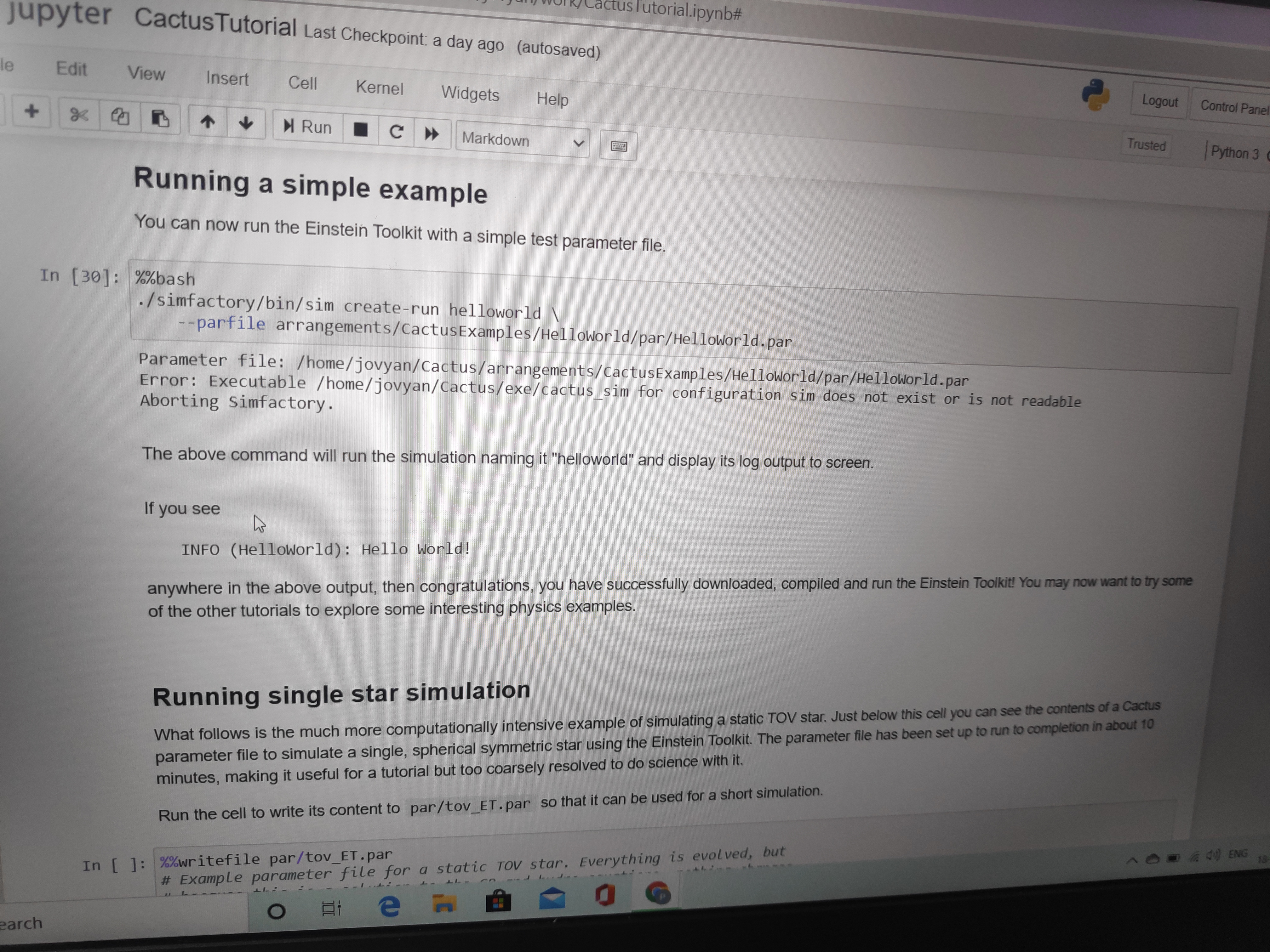
Respected sir/maam im facing issue while running simple "Hello world command. im running it on online sever. Please help me facing this issue. I am attaching the screenshot for your reference.

Hello,
im facing issue while running simple "Hello world command. im running it on online sever. Please help me facing this issue. I am attaching the screenshot for your reference.
From the error message it seems the main executable is missing. Most likely there are some errors shown earlier in the notebook.
You should try and re-run the part that reported an error, or, if that does not help, start from scratch by deleting the full Cactus checkout by executing these comnands in a new cell:
%%bash rm -rf ~/Cactus
then start the notebook from scratch.
Yours, Roland
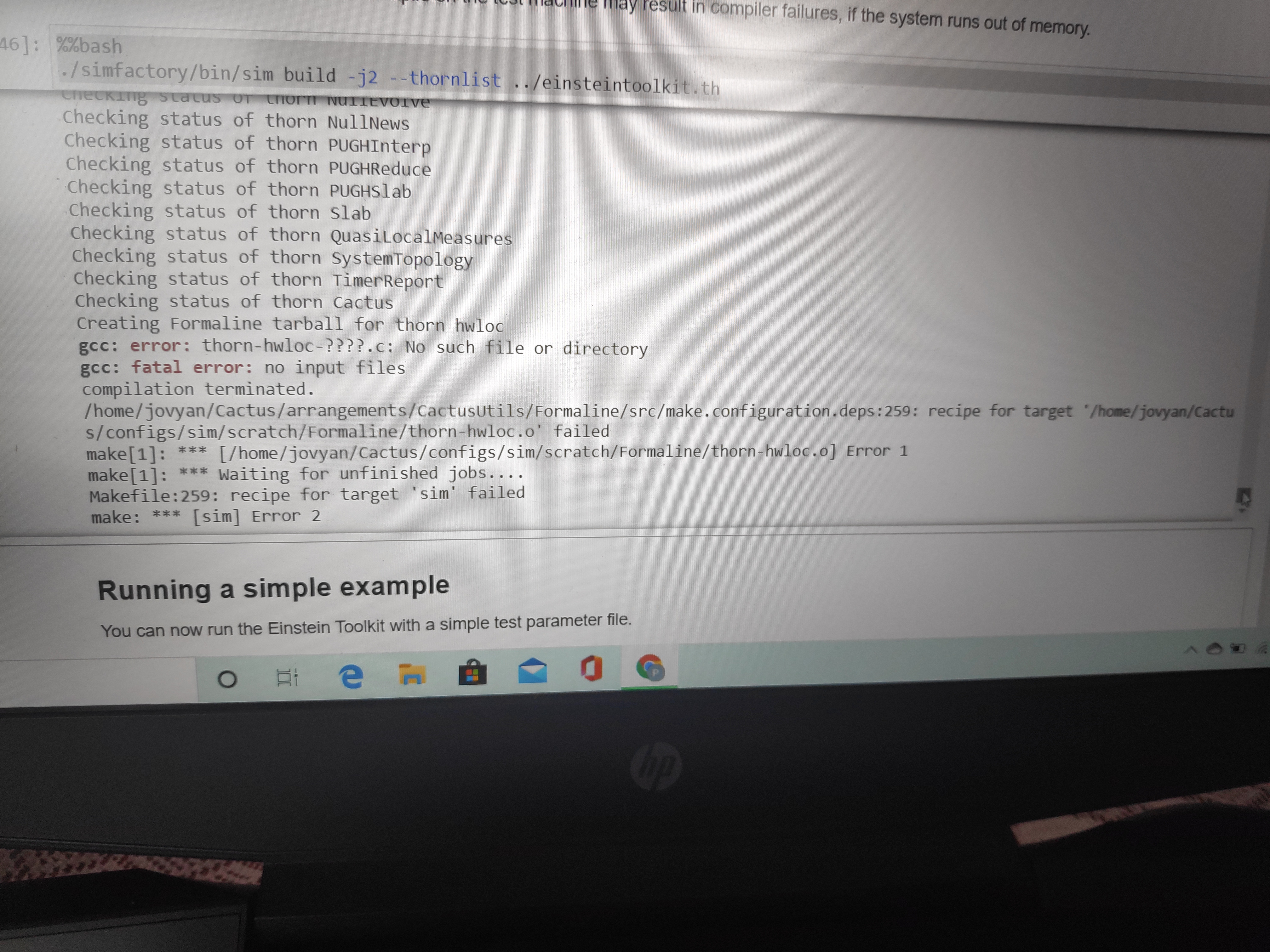
sir i have found the actual error please help me to resolve it. im attaching the screenshot for your reference.
On Mon, 20 Jul, 2020, 2:21 am Roland Haas, rhaas@illinois.edu wrote:
Hello,
im facing issue while running simple "Hello world command. im running it
on
online sever. Please help me facing this issue. I am attaching the screenshot for your reference.
From the error message it seems the main executable is missing. Most likely there are some errors shown earlier in the notebook.
You should try and re-run the part that reported an error, or, if that does not help, start from scratch by deleting the full Cactus checkout by executing these comnands in a new cell:
%%bash rm -rf ~/Cactus
then start the notebook from scratch.
Yours, Roland
-- My email is as private as my paper mail. I therefore support encrypting and signing email messages. Get my PGP key from http://pgp.mit.edu .
Hello,
sir i have found the actual error please help me to resolve it. im attaching the screenshot for your reference.
This is a strange error. It looks like some files could not be generated.
I would first try and re-executed the cell with './simfactory/bin/sim build' in it, ie:
./simfactory/bin/sim build -j2 --thornlist ../einsteintoolkit.th
and if that fails, enter into a new cell:
%%bash make sim-realclean
to clean up the failed build, then try the './simfactory/bin/sim build' cell once more.
If you want to, please download the current notebook (incl. the error message) and forward it as an attachment. My answer won't change but it may help understand why you ended up in this situation and possible prevent this from happening again in the future.
Yours, Roland
users@lists.einsteintoolkit.org
-
 Physics for everyone
 -
 Roland Haas