Hi Roland,
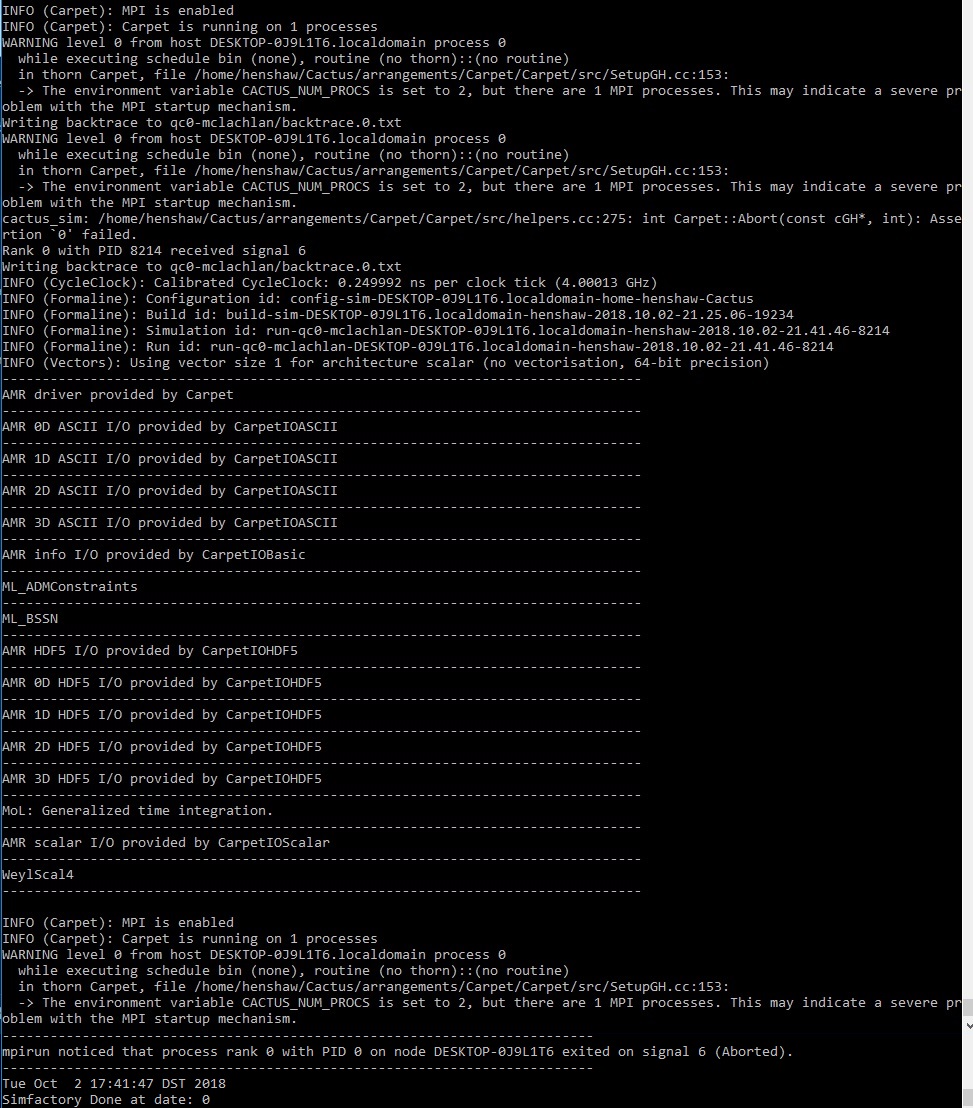
Thanks for the reply. I completely re-installed and compiled ETK and tried to run qc0 using this command:
./simfactory/bin/sim create-run qc0 \ --parfile=par/qc0-mclachlan.par --procs=2 --num-threads=1 --ppn-used=2
The program runs only for a moment before I get a new error (attached). I'm not sure how to interpret this, could you take a look?
Much appreciated!
--
Chad Henshaw Georgia Institute of Technology - Physics
________________________________ From: Roland Haas rhaas@illinois.edu Sent: Tuesday, October 2, 2018 8:20:02 AM To: Gomard-Henshaw, Chad Cc: ian.hinder@aei.mpg.de; Einstein Toolkit Users Subject: Re: [Users] Issue running the default qc0-mclachlan.par
Hello Chad,
that information can be read out of eg the RunScript that you can find in simulations/XXX/output-0000/SIMFACTORY/RunScript or (the default value anyway) from
simfactory/bin/sim print-mdb-entry $(simfactory/bin/sim whoami | awk '{print $NF}') | grep threads max-num-threads = 12 num-threads = 6
You can also force the issue by using:
./simfactory/bin/sim create-run static_tov --parfile=par/static_tov_small_short.par --procs=2 --num-threads=1 --ppn-used=2 --walltime=8:0:0
which uses 2 threads in total (procs=2) with 1 thread per MPI rank (num-threads=1) and makes simfactory believe that there are 2 cores present (ppn-used=2). This results in 2 MPI ranks with 1 thread each.
Yours, Roland
Hi Ian,
Thanks for replying. This didn't work for me, but I understand your logic. Is there a way that I can determine how many threads per process my simfactory is configured for? That way I should be able to specify the exact # of procs right?
Thanks!
--
Chad Henshaw Georgia Institute of Technology - Physics
From: ian.hinder@aei.mpg.de ian.hinder@aei.mpg.de Sent: Monday, October 1, 2018 5:06:24 PM To: Gomard-Henshaw, Chad Cc: Einstein Toolkit Users Subject: Re: [Users] Issue running the default qc0-mclachlan.par
On 28 Sep 2018, at 18:48, Gomard-Henshaw, Chad <cgomard@gatech.edumailto:cgomard@gatech.edu> wrote:
Hello,
When running the default qc0 simulation, I get an error (see attached). This was run using the following command in the windows linux subshell:
./simfactory/bin/sim create-run qc05 \ --parfile=par/qc0-mclachlan.par
The simulation runs for about an hour before aborting; I get partial output files but only with two data points. Can you please advise on how to address this issue?
Hi,
We should have a FAQ... You need to run on at least two processes, due to internal limitations in the code. So add
--procs 2
to your create-run command line.
[I don't know exactly how your machine is configured in simfactory; if it is configured to use more than one thread per process, then you need to use enough "--procs" (which really means "threads") that at least two MPI processes are used.]
-- Ian Hinder https://ianhinder.net
-- My email is as private as my paper mail. I therefore support encrypting and signing email messages. Get my PGP key from http://pgp.mit.edu .